
HARDWARE
This Robot Lawn Mower Is a Solid Choice for Smaller Yards
Robot lawn mower designs vary wildly, as they're optimized for different benefits,...

It doesn't matter whether you're test driving Linux or installing Windows—making a bootable drive is an annoying process. What if you could format a hard drive for booting once and then simply drag ISO files onto it in order to boot from them? That's what Ventoy offers.
Why would anyone want an external hard drive or thumb drive full of bootable operating systems? Well, for one thing, it's a fun way to try out different operating systems without installing them. Most Linux distributions let you try them out in a live environment before installing—with Ventoy trying things out is even faster because you don't have to write the image to the drive every time. But a tool like this also makes it easy to manage a collection of installable operating systems and keep them all on the same device, which is great if you're the kind of person who fixes computers regularly.
After setup, there is a partition you can drop ISO, WIM, IMG, VHD(x), and EFI files on. This should, in theory, work for any bootable image—there's a list of tested ISOs if you want to confirm the one you're thinking of. Note that macOS is not supported and neither is booting from Ventoy on Mac devices.

To get started, download Ventoy for your operating system and start it up. Connect the drive you want to use for booting operating systems. (Note that Ventoy can technically write to internal hard drives but will, by default, only show external drives—this is to prevent you accidentally rewriting your internal drives.)
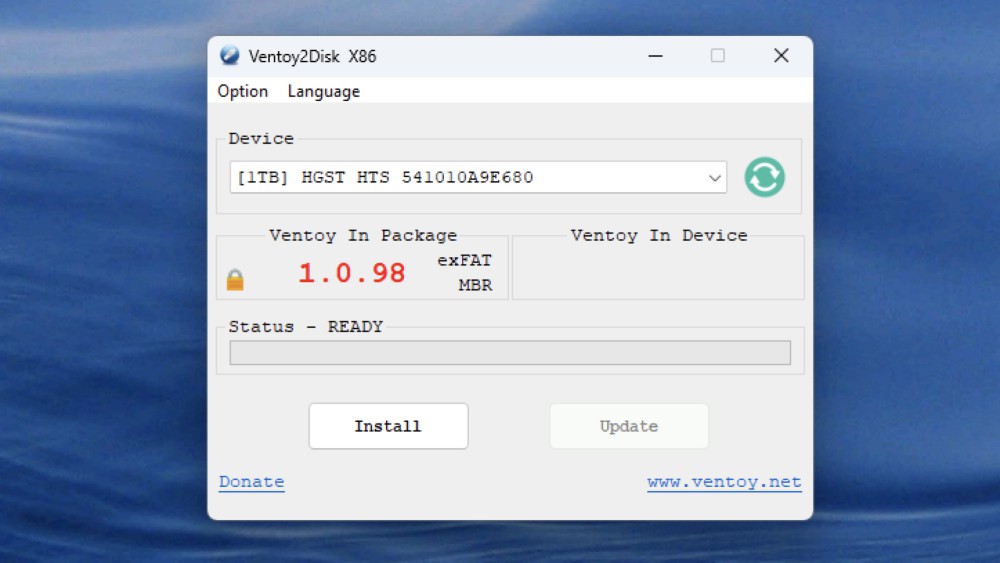
Select the drive you want to write to and click Install. Ventoy will reformat the drive to have two partitions—one that you will boot from and another, much larger partition where you can put your image files. Drag as many images to this partition as you want. You can even sort the images into folders, if you want—Ventoy will look for all compatible files even if they're in sub-folders.
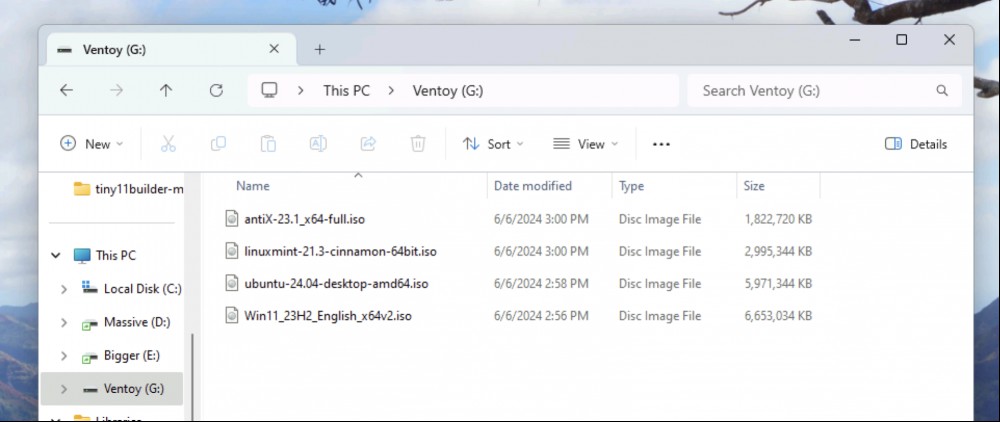
I put a few common Linux distributions and a Windows 11 installer on my drive to test. Then I restarted my computer and booted from the drive. I instantly saw all of the ISO files as an option.
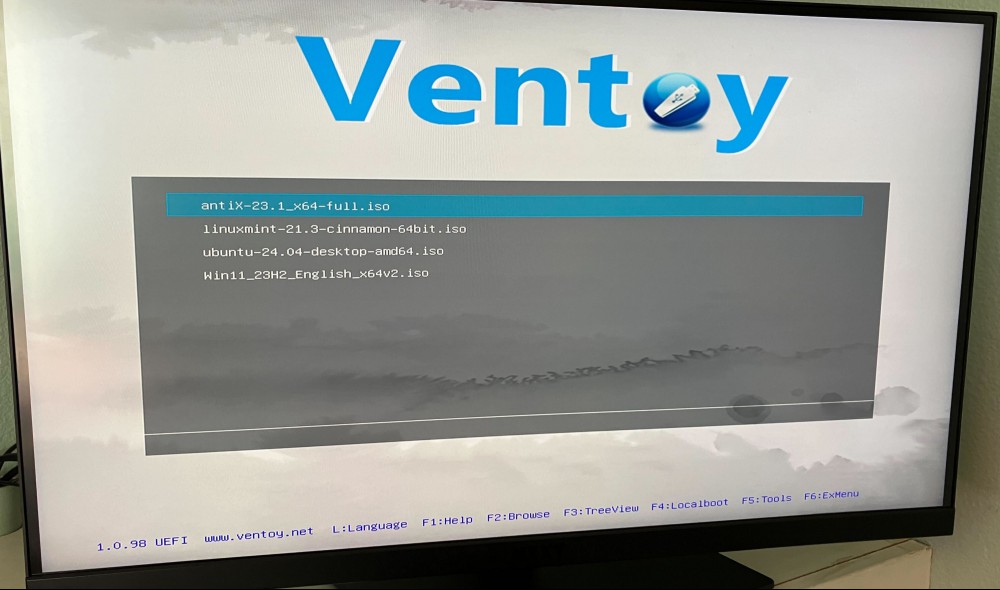
I tested all of these and can confirm that they booted as though I'd written them to a drive directly. This is going to be my go-to method for testing out Linux live environments and installing operating systems on PCs going forward.
Robot lawn mower designs vary wildly, as they're optimized for different benefits,...

TikTok, in addition to its Chinese parent company ByteDance, is suing to block the...

You undoubtedly know about your browser's incognito mode: a special browser state ...
AI is a fascinating field, one that has seen a ton of advancements in recent years...
Windows 10 is slowly on its way out, as Microsoft has announced it'll stop issuing...
I’m hardly a noob when it comes to smoking meat on the grill, but I’ve never o...
Comments on "Ventoy Is a Better Way to Make a Bootable Disk for PC and Linux" :