
SOFTWARE
How to Create a Portable PC on a USB Drive
Now that so many of us are signed up to cloud storage services, USB drives aren't ...

So far, Meta's Threads website has been stuck playing catch up to both Threads' own app and X's more mature feature loadout. All that is about to change, with the addition of a new column view that lets you create multiple columns of different timelines. This can include your mentions, likes, or even updates from a specific page or a topic. Oh, and to make things sweeter, there's an auto-update feature so you can follow live news as well.
This is similar to TweetDeck, the pioneering product for news junkies, which is now part of X Pro paid plan. With this change, the Threads website is actually now the best way to interact with the product, and after a couple of days of use, I found myself wanting the same column view on the iPhone app as well. Here's how it works.

First, you'll notice a new Pin icon at the bottom of the sidebar. Use this menu to quickly pin timelines like For You, Following, Saved, Activity, and more. Once pinned, timelines will show up as columns to the right-hand side of the existing feed. You can keep adding new columns and the horizontal scroll will keep on expanding.

From this Pin to home menu, you can also search for keywords or profiles that to add as columns. Simply clicking a profile or keyword here will do the trick.
But that's not the only way to use the pin feature. When you open a profile, or when you search for a topic and open the search results, you'll see a new Menu icon at the top-right. Click on it and choose the Pin to home button to add it as a column.
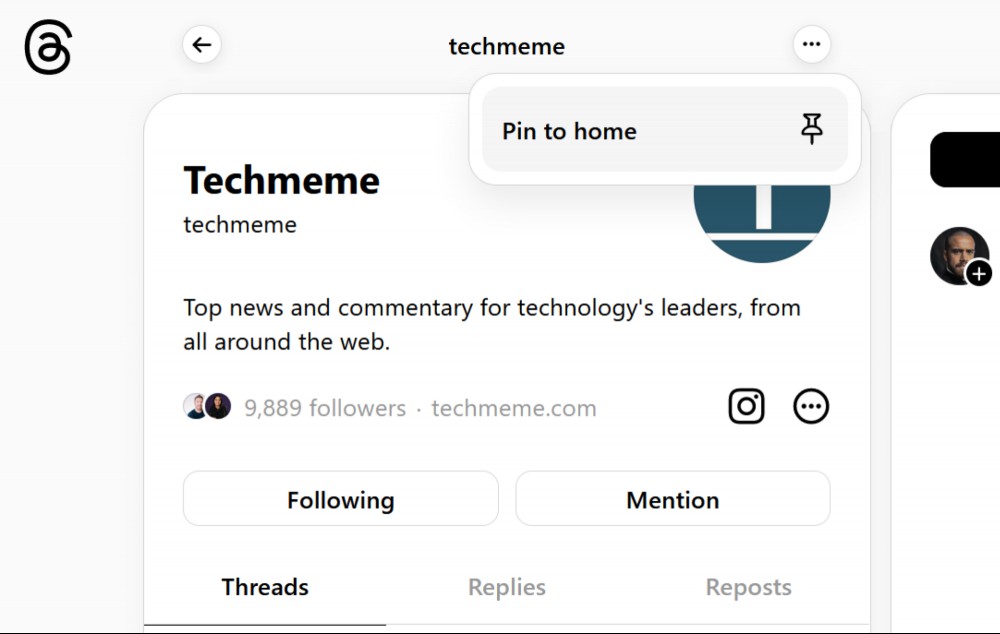
By default, the new column will be static and won't have auto-update turned on. Once your columns are added, click the three-dotted Menu button above any columns you want updates on and turn on the Auto-update feature. Then, make sure that you switch to the Recent tab in these columns up to view all the latest posts.
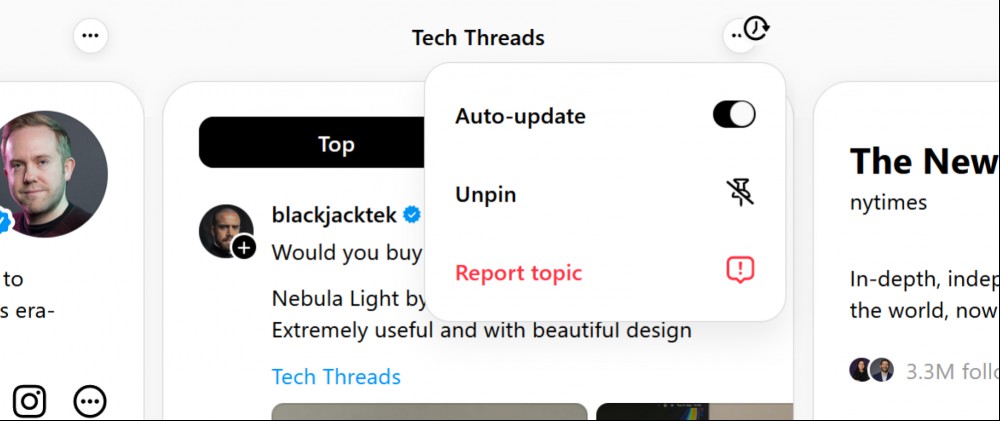
Once you're done following the news, or an event, you can click the Menu button and choose the Unpin option to easily remove the column from the Threads website.
Sadly, this is where the comparison to TweetDeck ends. While you can add columns to Threads' website, they are not customizable. You can't resize or reorder columns to suit your needs. Another glaring omission is the fact that you can't turn on auto-update for the For You section.
We hope Threads adds these features in the future (native apps for Mac and iPad would go a long way). For now, the fact that there's a column view will itself make many old-school Twitter users feel more at home. It's already gaining a following, with fans calling the new interface ThreadsDeck, and of course, there's a topic on Threads dedicated to it, where you can see how users are adapting to the new feature.
Now that so many of us are signed up to cloud storage services, USB drives aren't ...

Whether you're looking for a TV, security camera, smart speaker, or streaming devi...

Most people looking for air purifiers need it for one of two reasons: The first ar...

For a week or so, it seemed like OpenAI was ready to take on Google and announce a...

Despite the best intentions of the manufacturers, and the best efforts of consumer...

It's not just you: Google search is getting worse. It's more than the annoying new...
Comments on "Threads Just Added TweetDeck's Best Feature" :