COMPUTING
Use This App to Block Ads on Windows 11
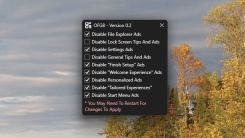
Advertisements—sometimes prompts to do something that would financially benefit ...

Apple loves keeping you in its walled garden of convenient but locked-down apps. That's not always a bad thing—I enjoy using my Apple Watch to unlock my Mac. However, it gets annoying when you can't use third-party apps or services for certain things, like music streaming or voice assistants. Shazam, the song recognition service owned by Apple, is a great example of this.
When you ask Siri to identify a song playing around you, the voice assistant will listen, recognize the song via Shazam, and show you a button to open it in Apple Music. That's great if you use Apple's streaming service, but not so great if you opt for a third-party option. Normally, iOS won't allow you to open these links in Spotify, YouTube Music, or any other streaming app that you might use. Fortunately, the iPhone automation community has a great solution to this particular problem: a shortcut called Quick Shazam, created by user @ZXXII over on RoutineHub.
To stop Shazam from sending you to Apple Music all the time, you'll need to use Apple's Shortcuts app. Most iPhones will already have it, so start by downloading the Quick Shazam shortcut and running it on your iPhone. During the setup process, Quick Shazam will ask you to choose your favorite music platform from the following options:

Spotify
Deezer
Tidal
iTunes
YouTube
YouTube Music
Pandora
SoundCloud
Don't worry if you end up dropping a subscription later, as you can change your pick whenever you'd like. Before you use this shortcut, I highly recommend making it easier to access by adding it to the Home Screen. To do so, open the Shortcuts app and hold down the Quick Shazam icon. Hit Share and Add to Home Screen. Now, it'll open just like an app.
From here, just tap the shortcut's icon whenever you want to and it'll automatically open Shazam and start listening for a song. Once the song is identified, you'll see a Shazam pop-up with an Apple Music button for a second or so. Ignore this. The shortcut will automatically dismiss the pop-up and opens the song in your preferred music streaming service.
Advertisements—sometimes prompts to do something that would financially benefit ...
There are many ways to find interesting books to read, maybe on your Kindle or Kob...

Here at Lifehacker we're big fans of keyboard shortcuts, whether it's for your ope...

The PlayStation VR2 launched in 2023, bringing Sony’s next-gen VR experience to ...

If you've got an Amazon Echo, Google Nest, or Apple HomePod speaker, it comes with...

Some companies are easy to quit. If I decide I don't like Coca-Cola anymore I can ...
Comments on "How to Get Shazam to Open Spotify (or Any Other Music Streaming Service)" :