
HARDWARE
This Smart Charcoal Grill Is Worth the Learning Curve
Putting together the Masterbuilt Auto Ignite 545 Smart BBQ was an excruciating sev...

Every once and a while you find an app that does one very specific thing very well. Timestory is just such an app: It allows you to quickly visualize any timeline. This can be useful for viewing history in context, which makes it a great learning tool if you're, say, studying history. But Timestory is also useful for general planning. You can use it to visualize all the steps necessary for a longer term project, and even include multiple proposals on the same timeline.
Timestory is made by a single developer, Aaron Trickey, and lovingly crafted for the Mac and iPad. The software is not exactly cheap: The Mac version costs $40 right now (up front—there's no ongoing subscription), while the iPad version is the same, with the option to buy a yearlong subscription for $15. There's a free one-week trial for the Mac version and a two-week trial for the iPad version, meaning whichever version you're using, you can get a feel for the application before you decide whether you need to pay for it. But if you do, I think you'll find it is well worth it.
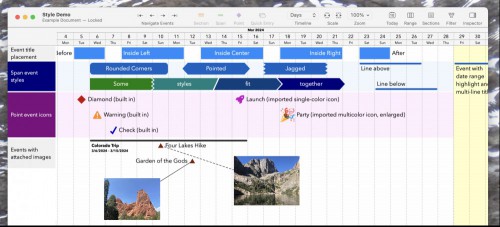
Creating a timeline can be a little tricky to get started, but for the most part it's all about adding events. These can be ongoing "spans" with a start and an end date, or they can be "Points" that happen on a specific date.

You can create an event either by clicking on the timeline or by using the "Quick Entry" button, which I personally find a little more precise. You can set custom colors and icons for every entry. You can also attach an image to any item on the timeline, allowing you to add some visual context.
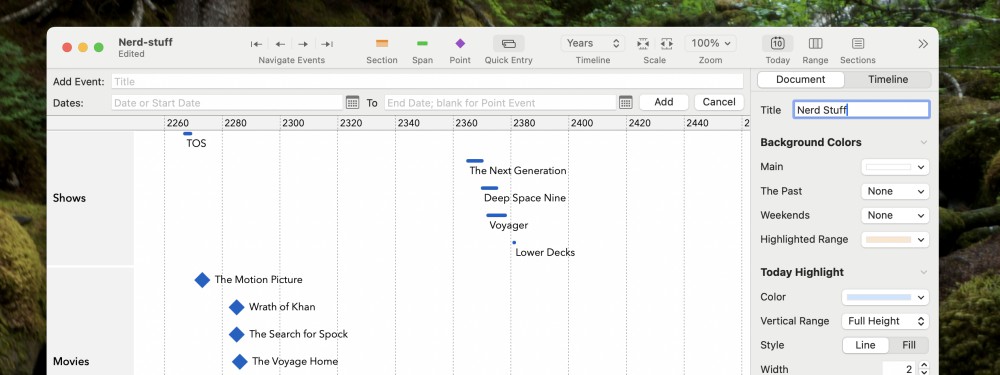
If this all sounds confusing, I recommend checking out the built-in tutorial documents, which include a couple of project management examples and a sample history of the timeline of Mars. They'll give you an idea of what this application is capable of.
Once created, you can export your timelines to PNG or PDF, allowing you to share them directly with anyone or embed them into presentations or documents. It's not an application most people will use every day, granted, but when it comes in handy, it will come in really handy.
Putting together the Masterbuilt Auto Ignite 545 Smart BBQ was an excruciating sev...

The release of iOS 17.5 brought with it a somewhat troubling bug, as many users re...

Amazon Prime Day is quickly approaching, with the two-day sale likely sometime in ...

Chatting with AI has proven to be a bit of a privacy risk as of late, with Meta ad...

Update: Adobe responded for a second time on Monday, rolling out a blog post clari...

(Follow Lifehacker's ongoing coverage of WWDC 2024 here.)During Apple's WWDC 2024 ...
Comments on "Use This App to Create a Visual Timeline for Any Project" :