
SECURITY
Proton Pass Can Now Judge Your Passwords and Find Your Info on the Dark Web
Proton Pass is one of the youngest and yet best password managers on the market, a...

One of the better recent features in macOS is Live Text, which allows you to copy text from images on your Mac in Preview, Quick Look, or Safari. It's honestly kinda magical—any text inside an image can be highlighted and copied, just like text on a website or in a document. The problem: this feature only works for images files, not videos, and you can't use it to copy text from a shared presentation in a meeting unless you take a screenshot and then extract the text from that.
Enter TRex, a free application for Mac that speeds that workaround up. It works similarly to Text Extractor for Windows: Select the area of the screen with the text you want, regardless of whether that text is in an image, video, or presentation. Any text in the area of the screen you select is instantly converted to text and copied to your clipboard. This functionality comes as a cost: TRex is $8 in the Mac app store, or is free if you download it from Github.
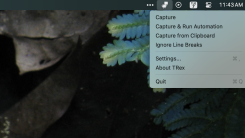
After installing, you'll get a brief tutorial on how the app works, and the icon will appear in your menu bar. You can trigger the application from there, or set optional keyboard shortcuts in the settings. The app itself uses the same crosshairs you see when you take a screenshot on your Mac, but instead of creating a screenshot, it looks for text that it can recognize with optical character recognition (OCR). That text is then instantly copied to the clipboard.

Only a handful of languages are supported right now—English, German, Italian, French, Spanish, Portuguese, and Chinese. The application can automatically detect the language of the text you're copying if you want, but it performs a little better if you pick a default in the settings.
I tested it out a few times, and while not perfect, it consistently proved easier than re-typing text myself, and saved me a step over the usual "screenshot + OCR" process. If you find certain words are consistently misspelled—an uncommon name, for example—you can add that word to the "Custom Words" tab in the settings.
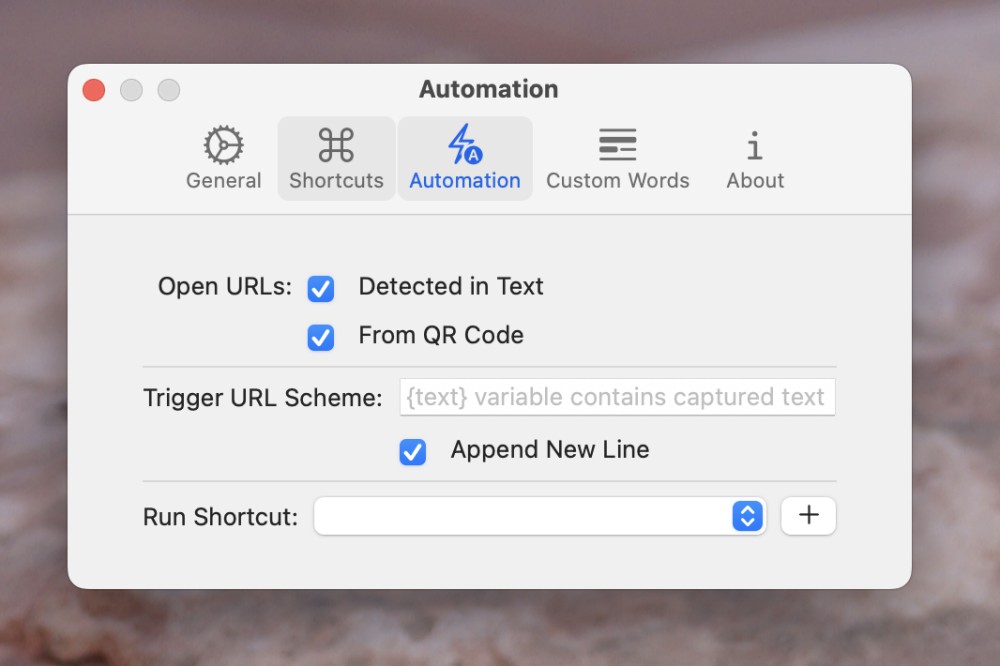
Perhaps the most unique feature is found in the automations tab. You can set the application to automatically recognize and open both URLs and QR codes, if you want. You can also automatically trigger a URL scheme or even an Apple Shortcut. It's an amazingly flexible program—you can set it up to send the converted text anywhere you like.
Even without setting up automations, though, TRex is the quickest way to copy text from places on your screen that otherwise can't be easily copied from. Heck, at this point some websites even block you from copying altogether—but TRex works around that too. It's worth the download.
Proton Pass is one of the youngest and yet best password managers on the market, a...
It might not have been as big a deal as WWDC or the annual fall iPhone event, but ...
One of the better recent features in macOS is Live Text, which allows you to copy ...
We've talked more than once about the pomodoro technique, which is built around in...

The PlayStation VR2 launched in 2023, bringing Sony’s next-gen VR experience to ...

If you've got an Amazon Echo, Google Nest, or Apple HomePod speaker, it comes with...
Comments on "This App Can Copy Text From Literally Anything on Your Mac’s Screen" :